Shape the atmosphere
Soften the light, adjust a material, or change a foreground object. Use selections to focus the edit, then refine the result in Photoshop to support the atmosphere you want to create.
Explore EditorShape the light, guide the eye, and bring out the character of your project. Explore and refine your render with AI tools inside your familiar Photoshop workflow.
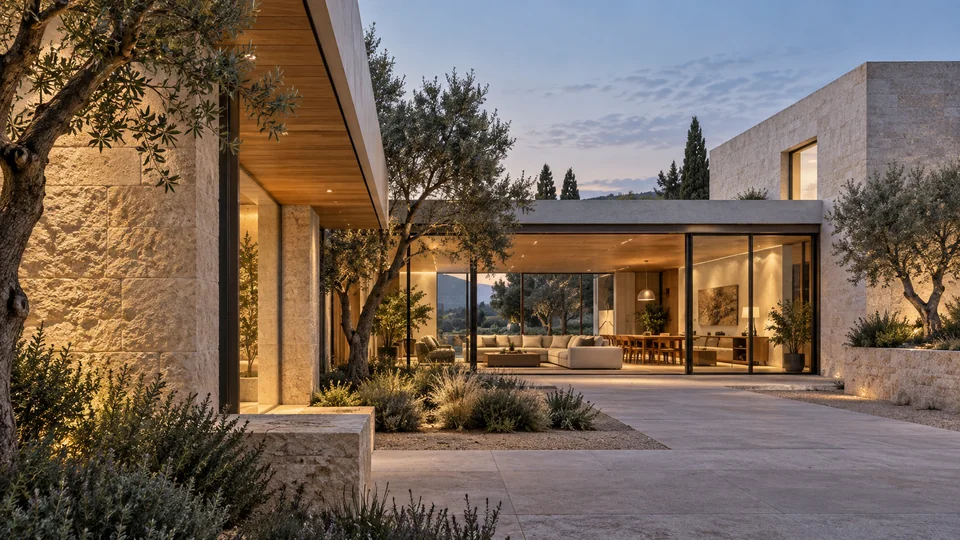
You've already made choices about the scene, materials, and camera. Review Spaces gives you ways to build on that work: draw attention to a detail, refine the atmosphere, or explore a different composition.
Start where your image needs attention, whether it's a foreground object or the overall mood. Choose the tool for that task, then use Photoshop layers and masks to bring the result into your composition.
Soften the light, adjust a material, or change a foreground object. Use selections to focus the edit, then refine the result in Photoshop to support the atmosphere you want to create.
Explore EditorTest a new camera angle as an image-based study. Compare how the project reads from another perspective before deciding whether to develop that view further in your 3D scene.
Explore DirectorIncrease resolution and bring out texture in stone, timber, and fabric. Review edges and fine details at full size, then make your final adjustments in Photoshop before delivery.
Explore UpscalerUse Variations to compare visual directions, or Reframe to explore a wider composition for a different format. Work from the same project imagery and review each result against the architecture, lighting, and material language you want to preserve.
AI can reinterpret geometry and fine detail. A new viewpoint is not a physically verified render of your model. Check results against the source design, especially where accuracy is essential for client approval.
Give each project team access to the models it needs through separate keys. Follow credit use in Admin, plan top-ups around upcoming deadlines, and keep purchases and invoices together while your artists focus on their images.

Refine your renders in Photoshop with 10 free credits.
With your permission, we use Google Analytics to understand which pages visitors use and improve our website. You can change your choice anytime in Cookie settings. Privacy policy